
If you have ever unboxed a new iPhone and noticed a faint but satisfying click when a charger or accessory met the back of the device, you have already encountered MagSafe in action. So, what is MagSafe? In short, it is Apple's proprietary system of precisely arranged magnets built into the back of iPhone 12 and later models, designed to align wireless chargers and a growing ecosystem of snap-on accessories with accuracy and repeatable ease. It is not merely a charging standard — it is an alignment and attachment platform, and understanding it properly changes how you choose every accessory you buy for your phone, including the case.
What Is MagSafe, Exactly? The Technology Behind the Click
At the heart of MagSafe on iPhone is a ring of 18 magnets embedded in a circular array around the wireless charging coil on the back of the handset. Apple introduced this system with the iPhone 12 in October 2020, reviving the MagSafe name it had previously used for the magnetic laptop charger connector on older MacBooks — though the underlying technology is quite different.
The magnet ring serves two distinct purposes simultaneously:
- Alignment — it snaps a MagSafe charger or accessory into the precise centre of the charging coil, eliminating the misalignment that had long plagued standard Qi wireless charging.
- Attachment — it holds accessories firmly enough for practical everyday use, whether that is a wallet, a mount, or a case with a built-in battery pack.
Alongside the magnets, the system includes an NFC reader embedded near the same area. When you attach a Made for MagSafe accessory, that NFC chip communicates with the iPhone to identify the accessory type and, where relevant, to unlock the full 15 W charging speed. This is why a generic magnetic charger that is not Apple-certified will typically only deliver standard Qi speeds even if it physically snaps on.
How Strong Are the Magnets?
Apple has not published a single official pull-force figure for the MagSafe magnet ring, but independent teardown analyses — including the widely cited work by iFixit — have measured the attachment force at roughly 3 to 4 newtons for a standard MagSafe charger connection. That is strong enough to hold a wallet or a mount securely in a pocket or on a car vent, but gentle enough that you can detach accessories with one hand without straining.
What Is MagSafe Charging? Speed, Watts, and What It Means in Practice
What is MagSafe charging in terms of real-world performance? The headline figure is up to 15 W of wireless power delivery — the fastest wireless charging speed available on iPhone. For context:
| Charging Method | Max Speed on iPhone |
|---|---|
| Standard Qi (third-party) | 7.5 W |
| Apple MagSafe Charger | 15 W |
| Apple USB-C wired | Up to 27 W (with compatible adapter) |
The 15 W figure applies when you use Apple's own MagSafe Charger or a third-party charger that has passed Apple's Made for MagSafe certification programme. To reach 15 W, Apple also requires a 20 W or higher USB-C power adapter — using a 5 W or 12 W adapter will cap the speed regardless of the charger's rating.
It is worth noting that wireless charging of any kind generates more heat than wired charging, and iPhones will throttle charging speed if they detect excessive warmth. If your phone runs warm during MagSafe charging, removing it from a thick case or ensuring it is not in direct sunlight will help.
What Is a MagSafe Case? How Cases Interact With the System
This is the question that matters most if you are shopping for protection. What is a MagSafe case, and how does it differ from an ordinary case?
A MagSafe case is one engineered to work with the iPhone's internal magnet ring rather than against it. That means two things in practice:
- Magnetic transparency — the material and thickness of the case must allow the iPhone's magnets to exert sufficient force through the case wall to grip a MagSafe charger or accessory on the outside.
- No magnetic interference — metal plates, magnetic clasps, or thick ferrous components inside the case can disrupt or deflect the magnetic field, reducing grip strength or blocking NFC communication entirely.
Apple's own silicone and clear MagSafe cases achieve this by embedding a secondary magnet ring within the case itself, aligned to the iPhone's internal ring. This reinforces the snap and helps accessories align accurately even through the case material. Not every third-party case does this — some simply omit interfering materials and rely on the iPhone's own magnets to do the work through the case.
Full-Grain Leather and MagSafe: A Craftsperson's Note
Here is something the mainstream tech guides rarely mention: material thickness and density matter enormously for MagSafe performance, and this is where quality craftsmanship becomes relevant rather than merely aesthetic.
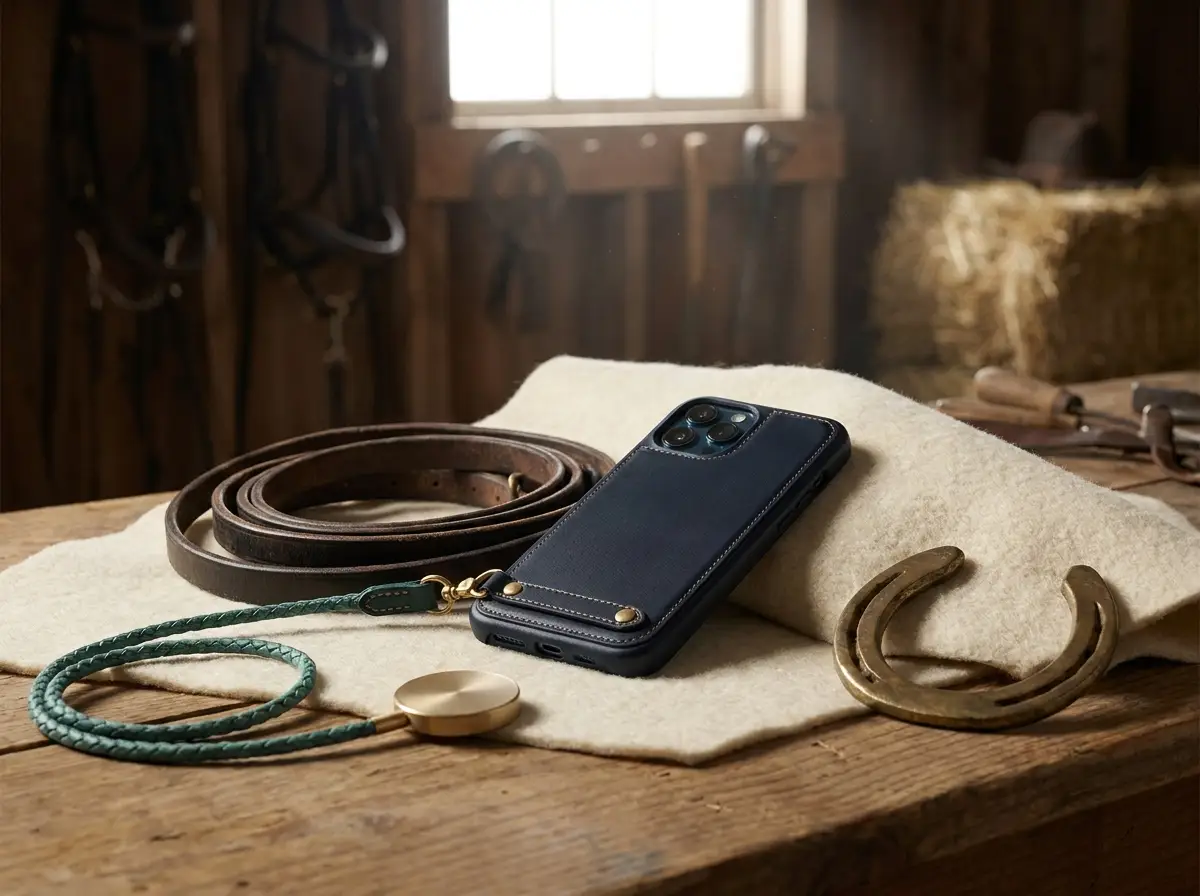
Full-grain leather — the outermost, tightest-grained layer of a hide, which has not been sanded or corrected — is naturally denser than split leather or bonded leather. A well-made full-grain leather case cut to a consistent 1.0–1.2 mm wall thickness will allow MagSafe's magnetic field to pass through cleanly, maintaining strong charger attachment and accessory grip. A poorly constructed case using thick, inconsistent, or foam-padded leather can add enough bulk to noticeably reduce magnetic pull force.
At Velvet & Valor, every hide is hand-skived (thinned at the edges and measured at the body) before construction to ensure the finished wall sits within the tolerance that keeps MagSafe performing as Apple intended. If you are browsing our full collection of handcrafted iPhone cases, you will find each listing specifies MagSafe compatibility explicitly — because for us, it is not an afterthought but a design constraint built into the pattern from the first cut.
Which iPhones Have MagSafe?
What is MagSafe on iPhone in terms of device support? The complete list of MagSafe-compatible iPhones, as of 2025, is:
- iPhone 12 series (12 mini, 12, 12 Pro, 12 Pro Max) — introduced MagSafe, October 2020
- iPhone 13 series (13 mini, 13, 13 Pro, 13 Pro Max)
- iPhone 14 series (14, 14 Plus, 14 Pro, 14 Pro Max)
- iPhone 15 series (15, 15 Plus, 15 Pro, 15 Pro Max)
- iPhone 16 series (16, 16 Plus, 16 Pro, 16 Pro Max)
All models from iPhone 8 onwards support standard Qi wireless charging, but only iPhone 12 and later include the internal magnet array required for MagSafe accessories and full 15 W speeds.
The MagSafe Accessory Ecosystem: Beyond Charging
Understanding what is Apple MagSafe fully means looking beyond the charger. Apple and a wide range of third-party manufacturers have built an ecosystem of accessories that use the magnetic attachment system for purposes that have nothing to do with charging:
- MagSafe wallets — slim card holders that snap to the back of the phone and can be removed in seconds
- MagSafe mounts — car vent mounts, desk stands, and tripod adapters that grip the phone firmly without a clamp
- MagSafe battery packs — Apple's own MagSafe Battery Pack and third-party equivalents that add capacity without a cable
- MagSafe cases with integrated features — cases that incorporate a built-in wallet, kickstand, or additional lens protection, all aligned via the magnetic ring
The British Standards Institution and Apple's own Made for iPhone (MFi) programme both provide frameworks for accessory certification, meaning that when you see the Made for MagSafe badge, the accessory has passed defined alignment, attachment, and electrical safety tests. You can read the full requirements in Apple's MFi programme documentation.
What to Look For in a MagSafe Phone Case
Now that you understand the technology, here is a practical checklist for evaluating what a MagSafe phone case should deliver:
Magnetic performance
- Does the case include its own embedded magnet ring, or does it simply avoid interference? (The former gives stronger, more consistent snap.)
- Is MagSafe compatibility explicitly stated by the manufacturer, not just implied?
Material and build quality
- Is the material thin enough (typically under 2 mm per wall for most materials) to preserve magnetic pull force?
- Does the case avoid metal plates, magnetic clasps, or heavy foam padding behind the charging coil area?
Protection
- Does the case offer raised lips around the screen and camera module?
- What drop protection does the manufacturer claim, and is it independently tested?
Longevity and ageing
- Full-grain leather, properly conditioned, develops a patina over years rather than yellowing or peeling as synthetic materials can.
- Check whether the manufacturer offers custom or personalised options — a monogrammed case or one tooled with an equestrian motif is not vanity; it is a marker of ownership that makes the object genuinely yours, in the same way a saddler would stamp a bridle with your initials.
Certifications
- Made for MagSafe certification is the clearest indicator that a third-party accessory has been tested to Apple's standards.
Common MagSafe Myths, Clarified
A few misconceptions circulate persistently enough to be worth addressing directly.
"MagSafe will erase my cards." The magnets can interfere with the magnetic stripe on traditional credit cards and hotel key cards if those cards are placed directly against the MagSafe area. They will not affect chip-and-PIN cards at a distance, and they will not affect the iPhone's own data. The practical solution is straightforward: keep cards in a separate wallet or choose a case design where the card slot sits below the magnetic ring, not behind it.
"Any magnetic case is a MagSafe case." This is the most commercially exploited misconception. A case can contain magnets and still fail to align correctly with the iPhone's ring, reducing rather than enhancing MagSafe performance. The geometry of the magnet array matters — 18 discrete magnets in the correct radial arrangement is what produces the characteristic snap and full charging speed.
"MagSafe damages the iPhone's internals." Apple designed the iPhone's internal components specifically to coexist with the MagSafe magnet array. The system has been in production since 2020 without documented evidence of magnet-related internal damage. Pacemaker and implanted cardiac device users, however, are advised by Apple to keep MagSafe devices at a safe distance — Apple's own guidance on this is available at https://www.apple.com/uk/shop/product/MHXH3ZM/A.
"MagSafe is only useful for charging." As the ecosystem section above illustrates, charging is simply the most familiar use case. The mounting, wallet, and battery pack applications arguably offer more daily utility for many users — particularly those who spend time outdoors, in the stable yard, or travelling to competitions where a cable-free, one-hand-detachable phone mount is genuinely practical.
Caring for a MagSafe Leather Case
Because the readership of The Equestrian Journal understands the relationship between leather care and longevity, a brief note on maintenance is worthwhile. The magnets embedded in a quality MagSafe case require no maintenance themselves, but the leather housing them does.
- Clean with a barely damp cloth; avoid saturating the leather near any seams or edges.
- Condition every three to four months with a pH-neutral, wax-based leather conditioner — the same product you might use on a quality bridle or boot. This prevents the leather from drying out and cracking at the stress points around the camera cutout and corners.
- Avoid leaving the case in prolonged direct sunlight, which will dry and fade full-grain leather faster than normal use would.
- Patina is not a flaw — it is evidence of genuine full-grain leather responding to its environment, in the same way a well-used saddle tells the story of its rider.
For more guidance on choosing and caring for leather iPhone cases, as well as broader buying advice across every iPhone model, visit The Equestrian Journal for further reading.